> For the complete documentation index, see [llms.txt](https://docs.supria.com/llms.txt). Markdown versions of documentation pages are available by appending `.md` to page URLs; this page is available as [Markdown](https://docs.supria.com/home/get-started/readme.md).

# Supria Documentation

Guides, concepts, and APIs for Supria Workspaces.

<h2 align="center">Supria Documentation</h2>

<p align="center"><strong>Plan, execute, and manage projects, portfolios, CAPEX, and megaprojects.</strong></p>

<p align="center">Find practical guides, concepts, and references for using Supria Workspaces.</p>

<p align="center"><a href="/home/get-started/core-concepts/what-is-supria-workspaces.md" class="button primary" data-icon="arrow-right">Get started</a></p>

***

<h3 align="center">Start here</h3>

<p align="center">Follow this journey to set up your environment and start your first project.</p>

<table data-view="cards"><thead><tr><th align="center"></th><th align="center"></th><th data-hidden data-card-target data-type="content-ref"></th></tr></thead><tbody><tr><td align="center"><p><i class="fa-1" style="color:$success;">:1:</i></p><p><strong>Learn about the platform</strong></p></td><td align="center">Understand how Supria Workspaces organizes projects and portfolios.</td><td><a href="/home/get-started/core-concepts/what-is-supria-workspaces.md">What is Supria Workspaces?</a></td></tr><tr><td align="center"><p><i class="fa-2" style="color:$success;">:2:</i></p><p><strong>Set up the workspace</strong></p></td><td align="center">Define the settings that guide your team’s work.</td><td><a href="/home/get-started/workspaces-in-everyday-life/configure-the-workspace.md">Configure the workspace</a></td></tr><tr><td align="center"><p><i class="fa-3" style="color:$success;">:3:</i></p><p><strong>Create a project</strong></p></td><td align="center">Prepare the required data and register your first project.</td><td><a href="/home/get-started/projects/create-a-project.md">Create a project</a></td></tr></tbody></table>

***

<h3 align="center">Explore by area</h3>

<p align="center">Access the right documentation for your role, process, or integration.</p>

<table data-card-size="large" data-view="cards"><thead><tr><th align="center"></th><th align="center"></th><th data-hidden data-card-target data-type="content-ref"></th></tr></thead><tbody><tr><td align="center"><p><i class="fa-book-open" style="color:$success;">:book-open:</i></p><p><strong>Core concepts</strong></p></td><td align="center">Master the terms and structure of Supria Workspaces.</td><td><a href="/home/get-started/core-concepts/what-is-supria-workspaces.md">Core concepts</a></td></tr><tr><td align="center"><p><i class="fa-compass" style="color:$success;">:compass:</i></p><p><strong>Capital Intelligence</strong></p></td><td align="center">Follow role-based journeys and complete cost-management tasks.</td><td><a href="https://app.gitbook.com/o/BM22IgSGu8At1SgF4H9W/s/dJaC6zLMtNlA1V6eDB5G">Overview</a></td></tr><tr><td align="center"><p><i class="fa-code" style="color:$success;">:code:</i></p><p><strong>Developer APIs</strong></p></td><td align="center">Integrate systems using technical references and examples.</td><td><a href="https://app.gitbook.com/o/BM22IgSGu8At1SgF4H9W/s/0n9WBxMOfaEya20QjGra">Odata API</a></td></tr><tr><td align="center"><p><i class="fa-plug" style="color:$success;">:plug:</i></p><p><strong>Supria Project Connector</strong></p></td><td align="center">Connect Supria Workspaces to Microsoft Project.</td><td><a href="/home/get-started/supria-project-connector/what-is-the-connector.md">Supria Project Connector</a></td></tr></tbody></table>

***

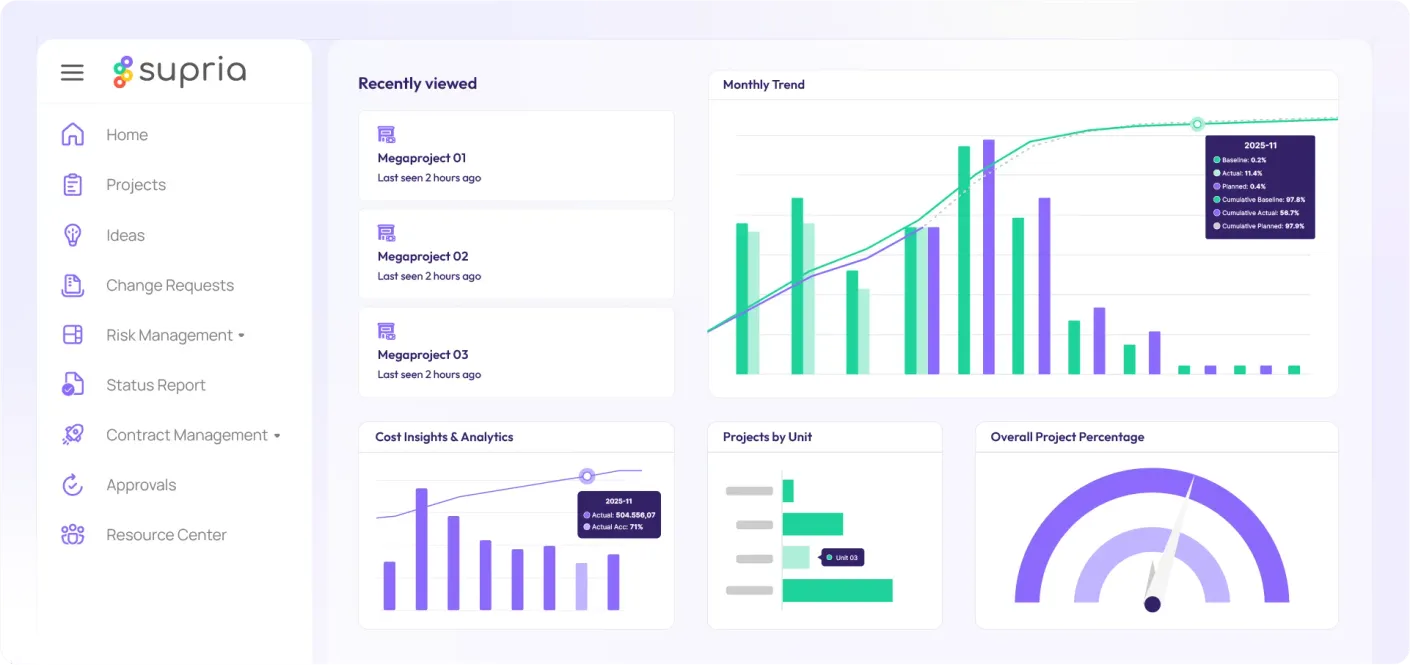
<h3 align="center">See Supria Workspaces in action</h3>

<figure><img src="https://content.gitbook.com/content/5tBh8jiPf3JuuHTuxYfw/blobs/CtfnFTeNNgtSljex2TUW/supria-workspaces.jpg" alt="Supria Workspaces overview" width="760"><figcaption><p>Plan and track your portfolio in a single environment.</p></figcaption></figure>

***

<h3 align="center">Microsoft Project Online migration</h3>

<p align="center">Connect Microsoft Project Professional to Supria Workspaces.</p>

<p align="center"><a href="/home/get-started/supria-project-connector/what-is-the-connector.md" class="button primary" data-icon="arrow-right">View the migration guide</a></p>
